• Skip to main content

Archi3

Archi3 | AI-Powered B2B Collections Automation

  • How It Works
  • Book A Demo
  • Pricing
  • FAQ
  • Blog
  • Login

B2B

Mar 26 2026

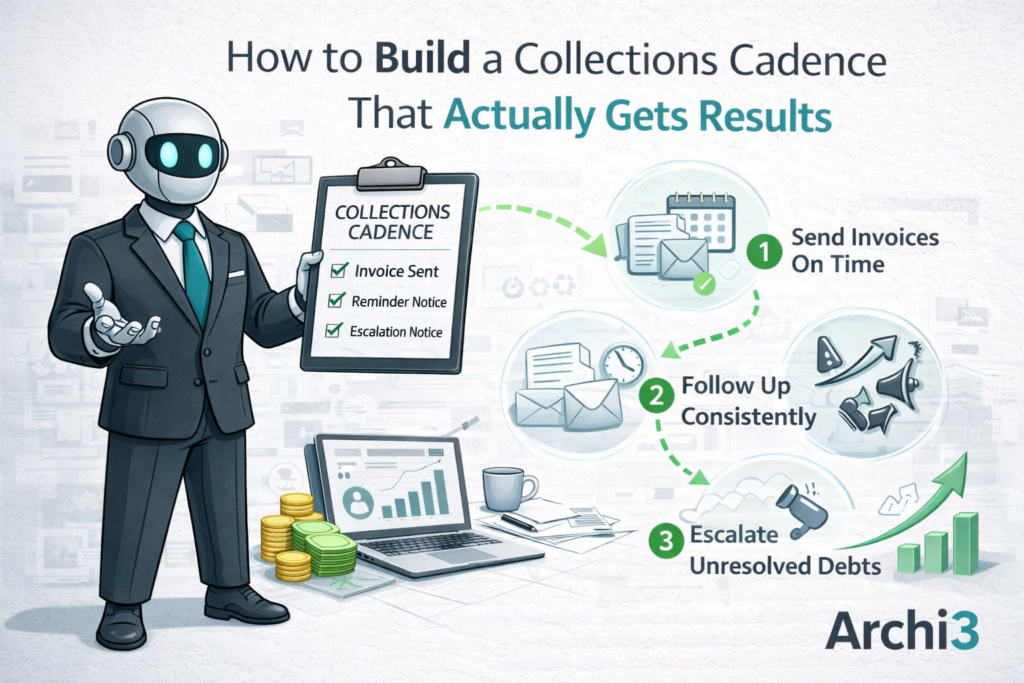
How to Build a Collections Cadence That Actually Gets Results

If your team is chasing overdue invoices without a clear plan, you already know the frustration. Payments slip through the cracks. Follow-ups feel reactive. Cash flow stays unpredictable. A well-designed collections cadence solves this by giving your AR team a structured, repeatable process for every account. However, most mid-size companies either skip the cadence entirely or build one that breaks down under real workload. In this post, we walk through why that happens and what a better approach looks like.
Why Most AR Teams Struggle Without a Collections Cadence

Many AR teams rely on memory, spreadsheets, or inbox flags to manage follow-ups. That works fine when you have 20 open invoices. It falls apart when you have 200. As invoice volume grows, the informal system cannot keep up. High-priority accounts get the same attention as low-risk ones. Some invoices never get touched at all.

The result is not just slow payments. It is a pattern of lost revenue that compounds over time. Invoices that age past 60 days are significantly harder to collect than those addressed in the first two weeks. If you want to understand just how much damage a single ignored invoice can cause, find out what happens to a 45-day invoice when nobody follows up. The numbers are worth seeing.

In addition, most teams are already stretched thin. They are not ignoring overdue accounts on purpose. They simply do not have the bandwidth to stay on top of every open balance with a consistent approach. This is not a people problem. It is a process problem.

The Hidden Cost of an Inconsistent Collections Process

When there is no defined cadence, follow-up timing becomes random. One customer gets called on day 10. Another does not hear from you until day 45. That inconsistency sends the wrong signal. Customers learn that your team is not watching closely, and some will take advantage of that.

Beyond customer behavior, there is a real internal cost. AR staff spend significant time deciding who to contact and when, rather than actually making contact. That decision fatigue is a drain on productivity. There are clear signs your collections process is costing you more than you think, and inconsistent follow-up timing is near the top of that list.

Furthermore, without a cadence, it is nearly impossible to forecast cash flow with any accuracy. You cannot predict when payments will arrive if your outreach is unpredictable. That lack of visibility creates problems at the CFO level, where cash positioning decisions depend on reliable AR data.

What Breaks Down First

In our experience working with mid-size companies, the first thing to break is prioritization. Without a structured cadence, teams default to working the loudest accounts, not the riskiest ones. A large, long-overdue balance from a quiet customer sits untouched while a small invoice from a demanding customer gets all the attention.

The second breakdown is escalation. When there is no defined step that says “if no response after X days, escalate to Y,” invoices just keep aging. Nobody has clear ownership of the next move. As a result, accounts fall through the gaps right when they need the most attention.

How to Build a Collections Cadence That Actually Works

A strong collections cadence starts with clear timing rules for every stage of the invoice lifecycle. That means defining outreach intervals before an invoice is due, at the due date, and at regular intervals after. The specific intervals will vary by customer segment, invoice size, and payment history, but the structure needs to exist before you need it.

Here is a simple framework to start from:

  • 7 days before due: Send a friendly reminder with invoice details and payment instructions
  • Due date: Confirm receipt and confirm payment timeline with the customer
  • 5-7 days past due: First direct follow-up, personal tone, ask for a payment date
  • 15 days past due: Second follow-up, more direct, flag any disputes
  • 30 days past due: Escalation step, involve account manager or senior AR contact
  • 45+ days past due: Formal demand or credit hold decision

This framework only works if it runs consistently. That is where most manual processes break down. Humans get busy, priorities shift, and the cadence slips. Therefore, the goal is to build a system that executes these steps automatically, without relying on someone to remember.

Segment Your Accounts Before You Start

Not every customer should be on the same cadence. A long-standing customer with a strong payment history might get a lighter touch. A new customer or one with a history of late payments might need earlier and more frequent outreach. Build at least two or three cadence tracks and assign customers to them based on risk and relationship.

In addition, consider invoice size when assigning cadence priority. A $500 invoice and a $50,000 invoice should not receive the same automated treatment. Your process should reflect the real business impact of each open balance.

When you combine smart segmentation with a structured automated collections process, you stop treating all receivables the same way and start working them based on actual risk and value.

Measure What Your Cadence Is Doing

A cadence without measurement is just a schedule. You need to know which steps are producing responses and which ones are being ignored. Track open rates, response rates, and days to payment by outreach step. Over time, that data tells you exactly where your cadence needs adjustment.

For CFOs especially, this data feeds directly into better cash flow forecasting. We wrote about this connection in detail in our post on what CFOs wish their AR teams knew about cash flow forecasting. When your collections cadence is structured and measurable, your cash position becomes much more predictable.

Why Adding Headcount Is Not the Answer

When collections slow down, the instinct is to hire. However, adding another collections person does not fix a broken process. It just adds capacity to an inefficient system. The bottleneck is not the number of people. It is the absence of a consistent, automated cadence. We have explored this problem in depth in our post on why hiring another collections person does not fix the real problem.

The better investment is in a system that runs your cadence automatically, flags exceptions for human review, and keeps every account moving forward without manual intervention on every step.

How Archi3 Solves the Collections Cadence Problem

This is why we built Archi3. We saw mid-size AR teams doing their best work but losing ground because they had no reliable system to run a consistent collections cadence across all their accounts. The problem was not effort. It was structure and automation.

Archi3 is built specifically for B2B accounts receivable teams that need a smarter way to manage outreach without overhauling their entire finance stack. Our platform runs your collections cadence automatically, sending the right message to the right customer at the right time, based on rules we define. When a customer responds or pays, the cadence adjusts. When an account needs escalation, it surfaces it for your team. You stay in control without doing the manual work on every open invoice.

Archi3 does not require a complex implementation. No ERP integration required. Most teams are live in 4-5 days.

If you are ready to stop chasing invoices manually and start running a collections cadence that actually produces results, we want to show you what that looks like in practice. Book a demo and see how Archi3 performs against your current process with your real accounts receivable data.

Written by Archi3 · Categorized: Accounts Receivable · Tagged: accounts receivable, AR automation, B2B, collections, collections process

Mar 19 2026

5 Signs Your Collections Process Is Costing You More Than You Think

Most finance leaders assume their collections process costs are limited to staff salaries and maybe a software subscription. However, the real costs are often buried in places that never show up on a single line item. Slow follow-up, inconsistent outreach, aging invoices, and staff time spent on low-value tasks all add up quietly. By the time the numbers become impossible to ignore, the damage is already done. In this post, we walk through five signs your collections process is costing you more than you realize, and what you can do about it.

5 signs your collections process is costing you more than you think, illustrated scene from Archi3 showing a robot in a suit, stressed office workers, overdue invoices, an hourglass, and a 60-plus days past due calendar.

Why Hidden Collections Process Costs Are So Hard to Spot

The tricky part about collections costs is that most of them look like normal business friction. A few invoices sitting at 60 days feels manageable. A collector spending two hours a day on email follow-up seems like just part of the job. However, when you add it all up across your full AR portfolio, the picture changes fast.

Mid-size companies typically carry anywhere from 200 to 2,000 open invoices at any given time. Even a modest improvement in days sales outstanding (DSO) can free up hundreds of thousands of dollars in working capital. Therefore, the question is not whether your collections process has room to improve. The question is how much it is costing you to leave that room unused.

Sign 1: Your DSO Is Creeping Up Without a Clear Reason

Days sales outstanding is one of the most reliable indicators of collections health. If your DSO has been rising over the past few quarters and you cannot point to a specific cause, that is a warning sign. It usually means follow-up is inconsistent, invoices are aging without action, or your team is stretched too thin to stay ahead of the volume.

Rising DSO means cash is sitting in your receivables instead of your bank account. For a company with $10 million in annual revenue, a 10-day increase in DSO represents roughly $275,000 in delayed cash. That is capital you cannot invest, use to pay vendors, or access without borrowing. As a result, DSO creep is one of the clearest signs your collections process costs are higher than they should be.

We recommend tracking DSO by customer segment and invoice age, not just as a blended average. That breakdown often reveals where the real problems are hiding. You can read more about this in our post on what happens to a 45-day invoice when nobody follows up.

Sign 2: Your Team Spends More Time on Admin Than on Actual Collections

Ask your AR team how they spend their day. In most mid-size companies, the honest answer involves a lot of manual work. Pulling aging reports, writing and sending reminder emails, logging call notes, updating spreadsheets, and chasing down internal approvals all take time. However, none of that activity actually collects money.

When your team is buried in admin work, they have less time to focus on the accounts that actually need attention. High-balance, high-risk accounts get the same level of effort as low-balance routine ones. As a result, your collections process costs go up while your recovery rate stays flat or gets worse.

This is also a staffing trap that many companies fall into. When collections start slipping, the instinct is to hire another person. However, as we explain in our post on why hiring another collections person does not fix the real problem, adding headcount without fixing the underlying process just gives you more people doing inefficient work.

Sign 3: You Have No Consistent Follow-Up Cadence

Consistency matters more than intensity in collections. A customer who receives a reminder on day 7, day 14, and day 21 after due date is far more likely to pay than one who gets a reminder whenever someone on your team has time to send it. However, most AR teams operate reactively, not systematically.

Without a defined cadence, follow-up depends on who has bandwidth that day. Some invoices get three contacts in a week. Others go untouched for 30 days. That inconsistency sends mixed signals to customers and allows invoices to age unnecessarily. In addition, it makes it nearly impossible to measure what is working and what is not.

A structured, automated collections process removes the guesswork. Every invoice follows the same path. Every customer gets contacted at the right time. Your team focuses on exceptions and escalations rather than trying to remember who they followed up with last week.

Sign 4: You Cannot Easily Report on Collections Performance

If your CFO or controller asks for a collections performance report and your team needs several hours to pull it together from multiple systems, that is a problem. Visibility is a core part of managing collections process costs. Without it, you are making decisions based on gut feel rather than data.

Good reporting should show you which accounts are trending toward late payment, which follow-up methods are working, where invoices are getting stuck, and how your team’s time is being used. If you cannot see those things in near real time, you are flying blind.

We cover this in more detail in our post on what CFOs wish their AR teams knew about cash flow forecasting. The core point is that collections and forecasting are connected. Poor collections visibility leads to poor cash flow visibility, and that affects every financial decision your company makes.

Sign 5: Your Collections Process Costs Scale With Headcount, Not With Volume

Here is one of the clearest signs your process has a structural problem. When your invoice volume goes up by 20 percent, does your team need 20 percent more time to keep up? If yes, your collections process is not built to scale. It is built around manual effort, and that means every period of growth comes with a corresponding increase in cost and risk.

A well-designed collections operation should handle volume increases without requiring proportional increases in staff time. Automation handles the routine work. Your team handles the judgment calls. That ratio is what separates companies with healthy AR from ones that are constantly catching up.

It is also worth noting that scale problems often hide a deeper issue. When teams are stretched, they prioritize the loudest customers rather than the riskiest invoices. That behavior can quietly distort your collections results over time. For a deeper look at why this happens, see our post on why most collections teams fall behind.

How to Start Reducing Collections Process Costs Without Overhauling Everything

The good news is that you do not need to replace your ERP, hire a consultant, or run a year-long implementation to improve your collections process. Most of the gains come from three areas: consistent follow-up cadence, better prioritization, and automated communication that does not require manual effort to maintain.

Start by mapping your current process. Write down exactly what happens from the moment an invoice is issued to the moment it is paid. You will likely find gaps, delays, and steps that depend on a specific person being available. Those are your starting points.

From there, look at where automation can replace manual steps without losing the personal touch that customer relationships require. The goal is not to remove humans from collections. The goal is to make sure your people are spending their time where it actually matters.

We also recommend reviewing your current toolset honestly. Many mid-size companies are stuck using tools that are either too basic or too complex for their needs. Our post on collections software and why most B2B companies are stuck between manual and too much walks through how to evaluate what you actually need.

How Archi3 Solves the Collections Process Costs Problem Directly

This is why we built Archi3. We saw mid-size companies losing real money every month because their collections process depended on manual effort, inconsistent follow-up, and staff time that could be used on higher-value work. The problem was not that these teams lacked effort. The problem was that the process itself was not designed to scale or stay consistent without constant human input.

Archi3 automates the collections process from invoice issuance through payment. It builds and runs a structured follow-up cadence for every invoice, escalates based on account behavior and risk, and gives your team clear visibility into what is working and what needs attention. Your AR team stops spending their day on routine outreach and starts focusing on the accounts and decisions that actually require human judgment.

No ERP integration required. Most teams are live in 4-5 days.

Archi3 is built specifically for mid-size B2B companies that need a real improvement in collections performance without a long, expensive implementation. We connect to the systems you already use, run the follow-up cadence your team never has time to maintain consistently, and give you reporting that makes collections performance visible in real time. The result is lower DSO, fewer aging invoices, and a collections process that scales with your business instead of against it.

If you are ready to see what that looks like for your team, book a demo and we will show you exactly how Archi3 works with your current AR portfolio. No long sales process. See it running on your real numbers.

Written by Archi3 · Categorized: Accounts Receivable · Tagged: accounts receivable, aging invoices, AR automation, B2B, cash flow, CFO insights, collections, implementation, mid-size companies

Feb 10 2026

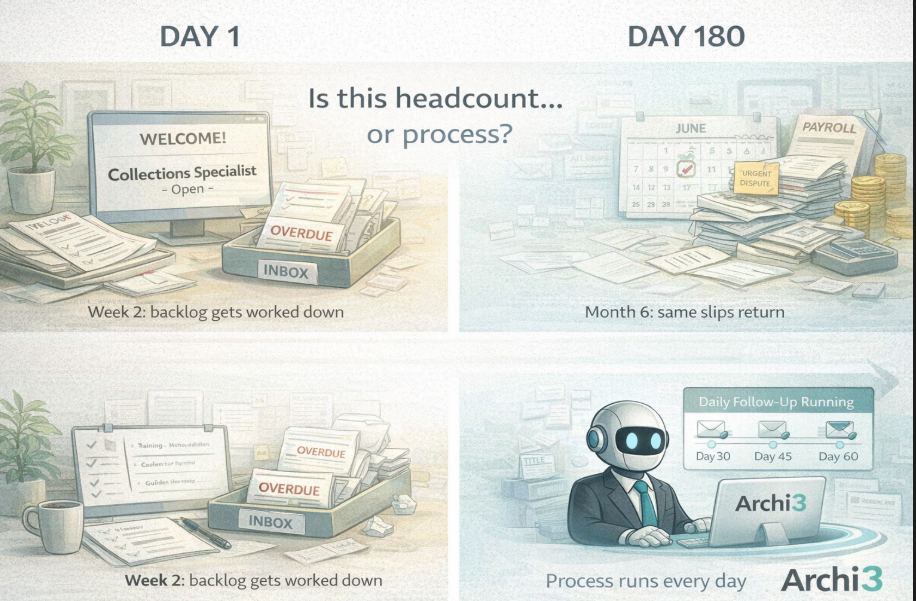
Why Hiring Another Collections Person Doesn’t Fix the Real Problem

Hiring a collections specialist versus running an automated collections process with Archi3

Thinking about hiring a collections specialist? Before you post that job listing, consider whether the problem is actually headcount.

The aging is climbing. Follow-ups are slipping. Leadership is asking questions. Hiring a collections specialist seems like the obvious fix.
Most of the time, it isn’t.

What Happens After Hiring a Collections Specialist

Here’s what usually happens after you bring on a new hire.

The first few weeks are better. The backlog gets worked down. Things feel under control. Leadership is happy with the decision.

Then the new person gets busy too. The same invoices start slipping. The same follow-ups get pushed. Six months later, you’re looking at the same aging report with a higher payroll.

This pattern repeats across industries. Hiring a collections specialist rarely fixes the underlying issue because the issue isn’t headcount. The issue is process.

Why More People Don’t Solve a Process Problem

If your current team can’t keep up with follow-ups, adding another person gives you more hands doing the same inconsistent work.

Think about it. The process is still manual. It still depends on someone remembering. It still breaks under load.

Furthermore, when you add a new person, you also add onboarding time. You add training. You add management overhead. All of that takes time away from the actual collections work.

As a result, the improvement is often temporary. Once the new hire gets absorbed into the daily chaos, the same patterns emerge.

The Real Problem: Consistency, Not Volume

Most collections hiring needs aren’t volume problems. They’re consistency problems.

The invoices aren’t piling up because there are too many of them. They’re piling up because follow-up is the first thing that slips when the team gets stretched.

According to industry data, consistent outreach dramatically improves collection rates. One person doing consistent daily follow-up will outperform three people doing sporadic catch-up.

However, consistency is impossible to maintain when the process is manual and the team has competing priorities.

A Better Question to Ask Before Hiring

Before posting the job listing for a collections specialist, ask a different question:

Is this a people problem or a process problem?

If follow-up slips every time things get busy, that’s a process problem. Another hire won’t fix it.

If your team is consistently working every invoice and still can’t keep up, that might be a volume problem. In that case, hiring makes sense.

But most of the time, the answer is process.

What Actually Fixes Inconsistent Collections

A consistent collections process means follow-up happens automatically based on aging. Every invoice gets touched at the right time. Nothing slips because someone got pulled into something urgent.

When the process runs every day regardless of what else is happening, the aging stops climbing.

How Archi3 Replaces the Hire

This is why we built Archi3. Instead of hiring a collections specialist to do manual follow-up, Archi3 runs the follow-up process automatically every day.

It sends emails based on aging. It monitors replies and routes them to your team. It escalates when invoices hit certain thresholds. The consistent work that a new hire would do on day one, Archi3 does every day without burning out or getting pulled into other tasks.

Your finance team becomes more efficient. They handle disputes, relationship calls, and judgment work. The routine outreach runs without them.

The cost is a fraction of a new hire. Onboarding is a single call. No training. No management overhead. And the consistency doesn’t fade after the first few weeks.

No ERP integration required. Most teams are live in 4-5 days. Apply for a free pilot before you post that job listing.

Written by Archi3 · Categorized: Uncategorized · Tagged: accounts receivable, aging invoices, B2B, cash flow, collections, collections process

Feb 02 2026

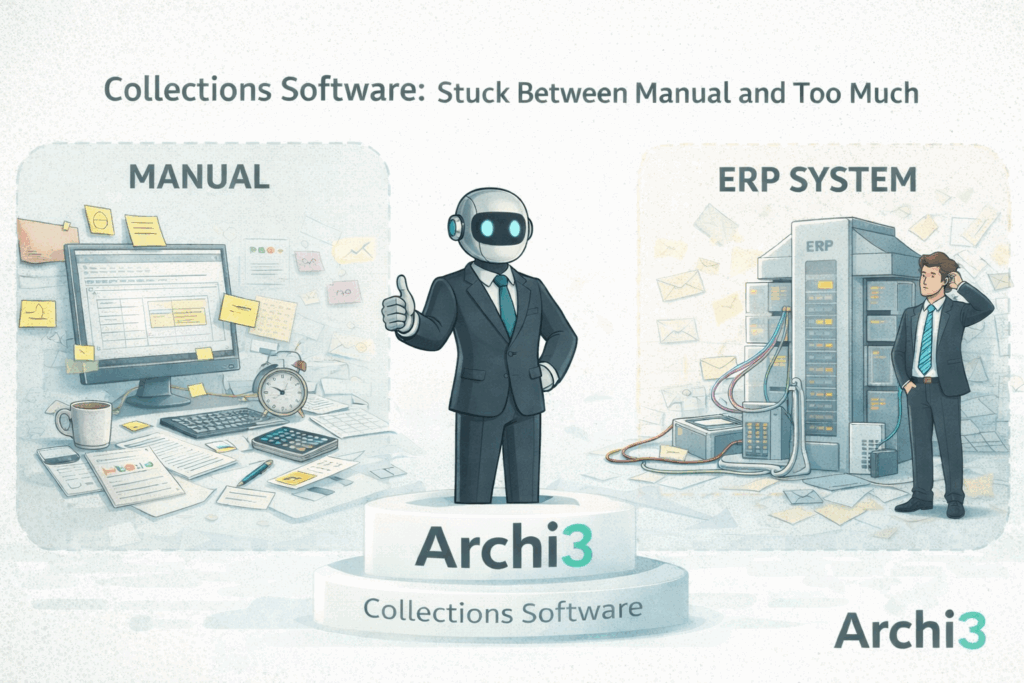
Collections Software: Why Most B2B Companies Are Stuck Between Manual and Too Much

collections software between manual and ERP

Most B2B companies handle collections one of two ways. They do it manually, or they buy collections software built into a massive ERP system they don’t need.

Both options have problems. As a result, most companies are stuck between them.

The Manual Side

On one end, you have spreadsheets, aging reports, and email. Someone pulls the aging, reviews it, and sends follow-ups manually.

This works when the team has time. However, it breaks when they don’t.

Follow-up slips. Invoices age. The process depends entirely on someone having bandwidth. So when the team gets busy, the routine work gets sacrificed.

Most B2B companies start here. Unfortunately, many stay here longer than they should.

The Big ERP Side

On the other end, you have collections software built into enterprise ERP systems. SAP. Oracle. NetSuite modules.

These platforms are powerful. But they’re also expensive, complex, and built for large organizations with dedicated IT teams.

For a mid-market B2B company, the ERP collections module is overkill. The implementation takes months. Furthermore, the cost is significant and the complexity requires resources most finance teams don’t have.

According to industry research, many companies struggle to fully implement and use the collections features inside their ERP. In other words, the software is there but nobody’s using it effectively.

The Gap in the Middle

Most B2B companies don’t need a spreadsheet and they don’t need an ERP module.

Instead, they need something in the middle. Collections software that actually runs the follow-up process without the complexity, cost, and implementation headaches of enterprise software.

It works with whatever system they already have. It’s live in days, not months. And their finance team can actually use it without IT support.

That gap is where most companies are stuck. Too busy for manual. Too lean for ERP.

What the Middle Looks Like

The middle is a collections process that runs every day based on aging. Follow-ups go out automatically. Replies get routed to your team. As a result, escalation happens based on rules, not memory.

There’s no massive implementation and no ERP integration required. Your team doesn’t need dedicated IT resources either.

Instead, it’s just a process that works your aging every day whether or not someone remembered to open the spreadsheet.

How Archi3 Fills the Gap

This is why we built Archi3. Archi3 is a B2B collections platform that sits between manual and ERP.

It runs your follow-up process every day based on aging. Specifically, it sends emails at the right intervals, monitors replies, and routes them to your team. It also escalates when invoices hit certain thresholds.

Because of this, there’s no ERP integration required and no complex implementation. Most teams are live in 4-5 days.

Your finance team keeps using whatever system they already have. Meanwhile, Archi3 handles the follow-up process that’s been falling through the cracks.

You don’t need to choose between a spreadsheet and a six-figure ERP module. You just need collections software that runs the process.

Apply for a free pilot and see what the middle looks like.

Written by Archi3 · Categorized: Uncategorized · Tagged: accounts receivable, aging invoices, B2B, cash flow, collections, collections process

Jan 29 2026

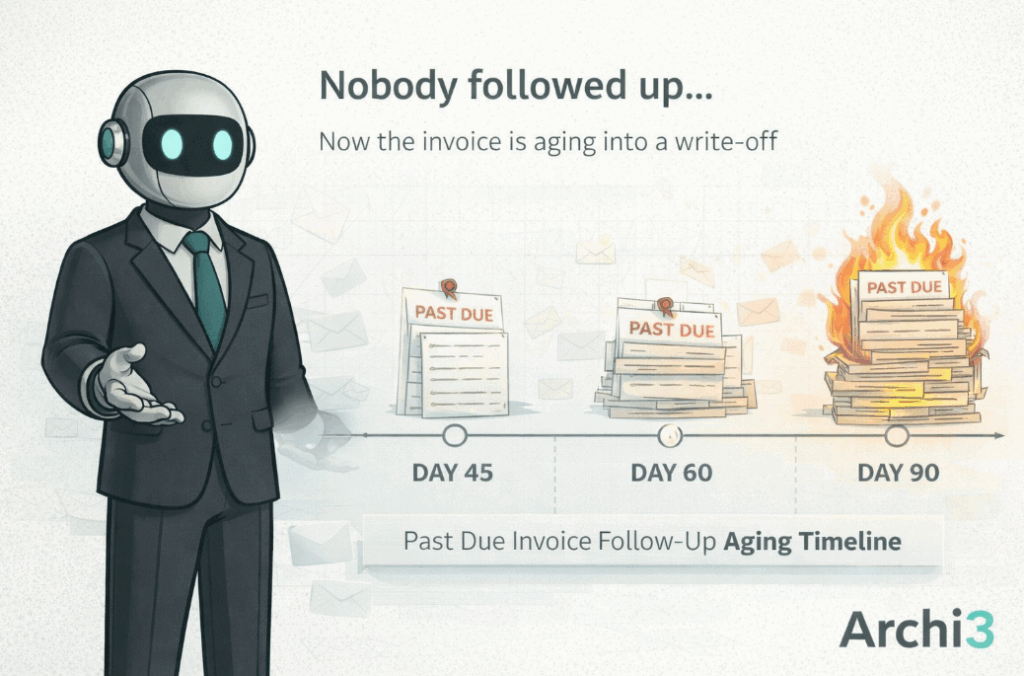
What Happens to a 45-Day Invoice When Nobody Follows Up

past due invoice follow-up aging timeline

Past due invoice follow-up is where collections break down. A past due invoice at 45 days is still recoverable. But without consistent past due invoice follow-up, that same invoice at 90 days becomes a write-off conversation.
The difference is whether someone sent the next email.

How Past Due Invoice Follow-Up Breaks Down

Here’s exactly how it happens in most companies. The pattern is predictable.

The invoice hits 30 days. It shows up on the aging report. Someone will get to it.

At this point, a quick follow-up would likely resolve it. Maybe the customer forgot. Maybe they have a question. Either way, a simple email would move things forward.

However, the collections person is busy with other things. So the follow-up waits.

Day 45: The First Slip

Now the invoice is 45 days old. It’s still on the aging report. The collections person meant to send a follow-up last week.

But then a dispute came in. A customer called with an urgent issue. Month-end reporting needed attention.

As a result, the past due invoice follow-up gets pushed again. Not intentionally. Just practically.

Day 60: The Conversation Gets Harder

At 60 days, the situation changes. The first touch now feels awkward.

Do you apologize for not reaching out sooner? Do you pretend the delay didn’t happen? The conversation is harder than it would have been 30 days ago.

Furthermore, the customer may have moved on mentally. They might assume you wrote it off. Or they might be annoyed that you waited this long to reach out.

Day 90: The Write-Off Conversation

At 90 days, this is no longer a simple follow-up. Legal gets involved. Leadership asks questions. The customer relationship is strained.

According to NACM data, collection probability drops significantly after 90 days. What started as a routine invoice is now a problem.

All of this happened because the second email didn’t go out on time.

Why This Pattern Repeats

This scenario isn’t rare. In fact, it’s the default outcome when past due invoice follow-up is manual and the team is busy.

Nobody dropped the ball on purpose. They just ran out of time. And the invoice that wasn’t urgent at 30 days became a real problem at 90.

The Fix Is Consistent Outreach

The difference between a 30-day invoice and a 90-day invoice isn’t the customer. It’s whether someone followed up consistently.

Consistent outreach at 30 days prevents the awkward calls at 90 days. That’s not about working harder. It’s about having a collections process that doesn’t wait for someone to remember.

When past due invoice follow-up happens automatically based on aging, nothing drifts into a problem. Every invoice gets touched at the right time.

How Archi3 Prevents the Drift

This is why we built Archi3. Archi3 is a B2B collections platform that works your aging every day and sends follow-up emails at the right intervals. The 30-day email goes out at 30 days. The 45-day email goes out at 45 days. Nothing waits for someone to remember.

When a customer replies, Archi3 routes it to your team for handling. When there’s no response, the next touch goes out automatically. The invoice never sits untouched long enough to become a problem.

Your finance team spends time on disputes and relationship calls instead of routine follow-up. That’s a better use of their expertise.

No ERP integration required. Most teams are live in 4-5 days. Apply for a free pilot and stop watching invoices age.

Written by Archi3 · Categorized: Uncategorized · Tagged: accounts receivable, aging invoices, B2B, cash flow, collections, collections process

  • Page 1
  • Page 2
  • Go to Next Page »
  • Terms Of Use
  • Privacy Policy
  • Referral Program
  • Blog

Copyright © 2026 ยท Archi3.ai is a U.S.-based SaaS platform provided by Cyrious.ai LLC and governed by the laws of the State of Florida.

For questions or support, contact us at Archi3@archi3.ai